Aztec Code


Generate Aztec Codes in MS Access Database
Aztec Code is a high-capacity 2D matrix barcode symbology. Aztec Code is able to encode both ASCII and Extended ASCII characters.
With Barcodesoft Aztec Code font package and Microsoft® Access®, it has never been so easy to print Aztec Code from your Windows computer and desktop printer.
1. Install aztec code demo on your computer.
2. Open DOS prompt. If you are using Windows Vista or Windows 7, please Open DOS prompt as administrator.
Type in the following DOS command to register crUFLbcs.dll
CD C:\Program Files (x86)\Common Files\Barcodesoft\FontUtil
regsvr32 crUFLbcs.dll

3. Start Microsoft® Access®.
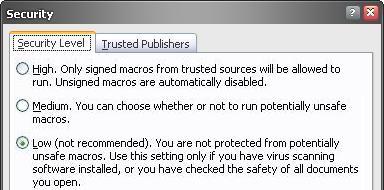
If you are using Access 2000 or 2003, click menu ===> Tools ==> Macro ===> Security. Choose Low security level.
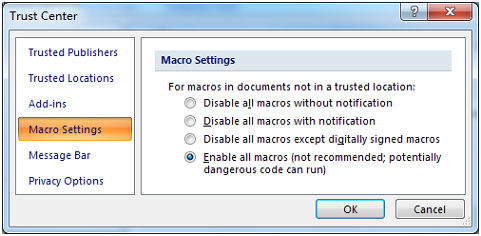
If you are using Access 2007 / 2010 / 2013 / 2016 / 2019, click the Microsoft Office Button.


Click Access Options ==> Trust Center ==> Macro Settings, choose "Enable all macros" as shown below.
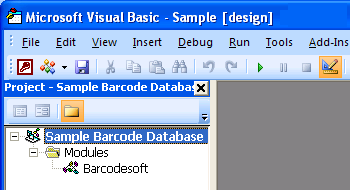
4. Press ALT + F11 to open Microsoft® Visual Basic editor.
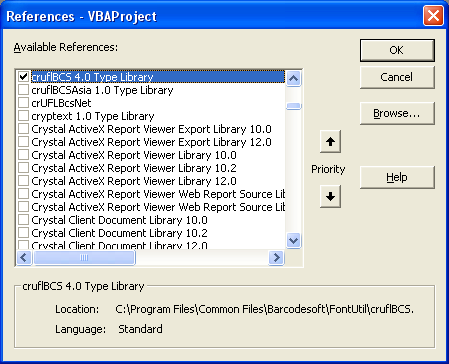
5. From Visual Basic editor, choose menu Tools ===> References. It will popup a dialog. Click Browse button and choose cruflbcs.dll from C:\Program File (x86)\CommonFiles\Barcodesoft\Fontutil folder.
Click the checkbox beside crUFLBcs 4.0 Type Library as shown below. Then click OK button.
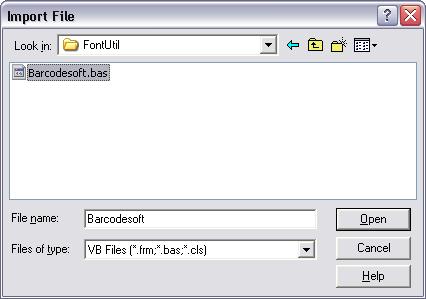
6. Press Ctrl+M, it will popup a dialog, choose barcodesoft.bas under C:\Program File (x86)\CommonFiles\Barcodesoft\Fontutil folder. Then click "Open".
If you don't find barcodesoft.bas, please download it from Aztec Code.
You can copy and paste from code snippet below
Public Function Aztec(strToEncode As String) As String
Dim obj As cruflBCS.CAztec
Set obj = New cruflBCS.CAztec
Aztec = obj.EncodeCR(strToEncode, 0, 0, 0)
;The first parameter is string to encode.
;The second parameter is string Index, set it to zero.
;The third parameter is format, default value is zero.
;The fourth parameter is error correction level, default value is 23.
Set obj = Nothing
End Function
7. Close Visual Basic and go back to your Access database. Now, create a textbox in Design view and type in the following macro in its control source:
=aztec([data.code])
Please notice that 'data' is the Table name, 'code' is the Field name.
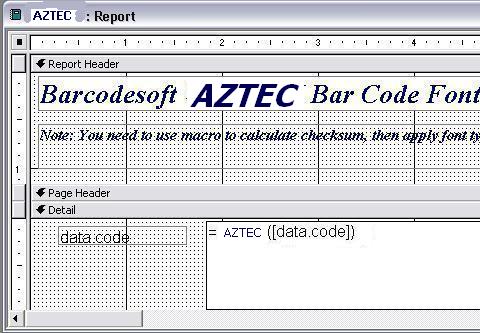
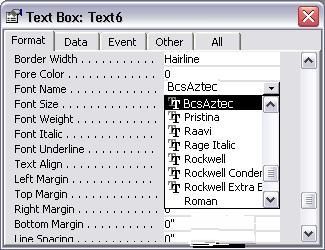
8. Right click the textbox. Choose Properties from context menu. Apply BcsAztec as font.
Microsoft and the Office logo are trademarks or registered trademarks of Microsoft Corporation in the United States and/or other countries.